

Troubleshooting a 4G hardwired GPS tracker when it stops working can be a daunting task. But as a trusted 4G hardwired GPS tracker supplier, I've encountered various issues and found effective solutions. In this blog, I'll guide you through a systematic approach to diagnose and fix common problems with your 4G hardwired GPS tracker.
1. Initial Checks
Before diving into complex troubleshooting, start with some basic checks. These simple steps can often resolve issues without much hassle.
Power Supply
- Verify the Connection: Check if the tracker is properly connected to the power source. A loose or disconnected power cable can cause the tracker to stop working. Ensure that the power wires are securely attached to the correct terminals on both the vehicle's electrical system and the tracker.
- Check the Fuse: A blown fuse can interrupt the power supply to the tracker. Locate the fuse associated with the GPS tracker in the vehicle's fuse box. If it's blown, replace it with a fuse of the same rating.
Physical Damage
- Inspect the Tracker: Examine the GPS tracker for any visible signs of physical damage, such as cracks, water ingress, or bent connectors. Water damage can short - circuit the tracker's internal components, while bent connectors may lead to poor electrical connections. If you find any damage, the tracker may need to be replaced.
Antenna Connection
- GPS Antenna: The GPS antenna is crucial for receiving signals from satellites. Make sure it is firmly connected to the tracker. A loose antenna connection can result in poor or no GPS signal reception.
- Cellular Antenna: Since 4G hardwired GPS trackers use cellular networks to transmit data, a proper connection of the cellular antenna is essential. Check if the cellular antenna is connected correctly and not damaged.
2. GPS Signal Reception
If the tracker is powered on but not providing accurate location data, the issue may lie with the GPS signal reception.
Location and Obstructions
- Vehicle Position: The vehicle's location can affect GPS signal reception. If the vehicle is parked in an underground parking lot, a densely wooded area, or surrounded by tall buildings, the GPS signal may be blocked. Move the vehicle to an open area and see if the tracker starts receiving signals.
- Antenna Placement: Ensure that the GPS antenna is placed in a location where it has a clear view of the sky. Avoid blocking the antenna with metal objects or other obstructions.
Satellite Visibility
- Check the Number of Satellites: Some GPS trackers have a feature that allows you to view the number of satellites they are connected to. A low number of satellites can lead to inaccurate location data. If the tracker is not connecting to enough satellites, try the above steps to improve the signal.
3. Cellular Connectivity
A 4G hardwired GPS tracker relies on cellular networks to transmit data to the server. If the tracker is not sending data, the problem may be related to cellular connectivity.
SIM Card
- Check the SIM Card: Remove the SIM card from the tracker and inspect it for damage. Ensure that it is properly inserted into the SIM card slot. If the SIM card is damaged, replace it with a new one.
- SIM Card Activation: Confirm that the SIM card is activated and has sufficient data balance. Contact your cellular service provider to check the status of the SIM card.
Network Coverage
- Check the Area: The tracker may not work in areas with poor or no cellular network coverage. Use your smartphone to check if there is any cellular signal in the location where the vehicle is. If there is no signal, wait until the vehicle moves to an area with better coverage.
- Network Settings: Some trackers allow you to configure the cellular network settings. Make sure the correct network settings are selected, such as the APN (Access Point Name).
4. Software and Configuration
Sometimes, the issue can be related to software glitches or incorrect configuration.
Firmware Updates
- Check for Updates: Manufacturers often release firmware updates to improve the performance and stability of GPS trackers. Visit the manufacturer's website to check if there are any available updates for your tracker. Follow the instructions provided to install the updates.
- Reset the Tracker: In some cases, a simple reset can resolve software - related issues. Refer to the user manual of the tracker to learn how to perform a reset.
Server Connection
- Check Server Settings: Confirm that the tracker is configured to connect to the correct server. Incorrect server settings can prevent the tracker from sending data. Contact your GPS tracking service provider to verify the server settings.
5. Advanced Troubleshooting
If the above steps do not resolve the issue, it may be necessary to perform more advanced troubleshooting.
Diagnostic Tools
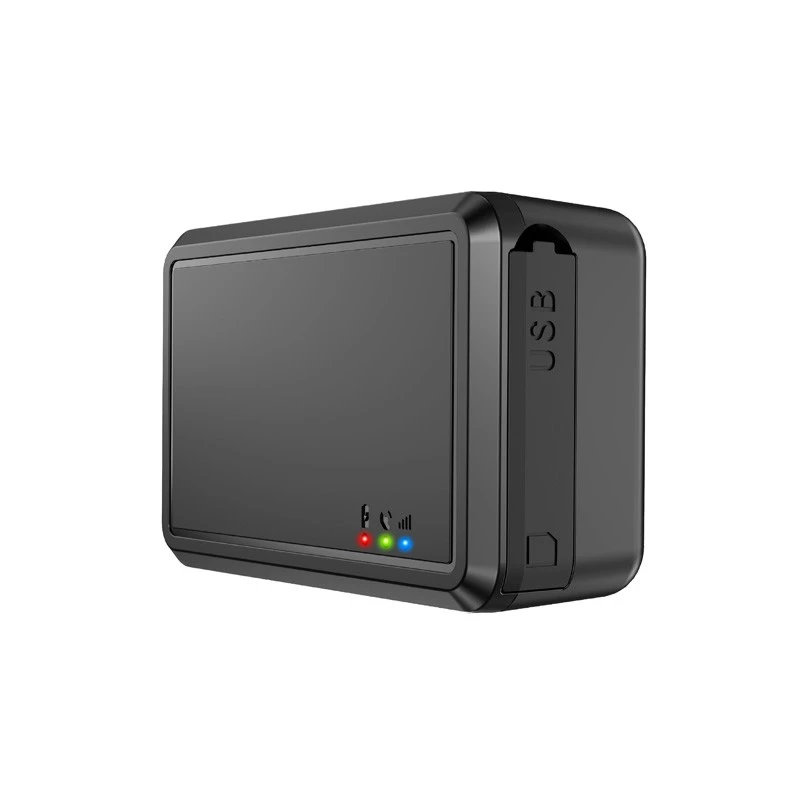
- Use Diagnostic Software: Some GPS trackers come with diagnostic software that can help you identify the problem. Install the software on your computer and connect the tracker to the computer via a USB cable. Follow the instructions provided by the software to run a diagnostic test.
- Professional Assistance: If you are unable to diagnose and fix the problem on your own, consider contacting a professional technician or our support team. We have the expertise and tools to troubleshoot complex issues with European Version 4G Portable GPS Locator, Vehicle GPS Tracking Device, Wired GPS Tracker, Truck GPS Tracker, and 4G Wireless GPS Tracker.
Conclusion
Troubleshooting a 4G hardwired GPS tracker requires a systematic approach. By starting with basic checks and gradually moving to more advanced troubleshooting steps, you can often identify and resolve the issue. If you are still experiencing problems with your GPS tracker, don't hesitate to reach out to us for further assistance.
We are a leading supplier of high - quality 4G hardwired GPS trackers. Our products are designed to provide accurate and reliable tracking solutions for various applications, including vehicle tracking, asset management, and fleet management. If you are interested in purchasing our GPS trackers or have any questions about our products, please contact us for procurement and negotiation.
References
- GPS Tracker User Manuals
- Cellular Network Service Provider Documentation
- Manufacturer's Technical Support Resources