

Hey there! As a supplier of 4G OBD GPS Trackers, I know how frustrating it can be when your tracker doesn't work properly. No worries though, I'm here to walk you through some troubleshooting steps to get it up and running again.
1. Check the Power Connection
The first thing you should do is make sure your 4G OBD GPS Tracker is getting power. Since it's an OBD (On - Board Diagnostic) device, it gets power directly from your vehicle's OBD port.
- Verify the OBD Plug: Take a look at the plug that goes into the OBD port. Ensure it's fully inserted and there are no visible signs of damage, like bent pins or corrosion. Sometimes, a loose connection can cause the tracker to stop working. If the plug looks fine but still no power, try unplugging it and plugging it back in firmly.
- Check the Vehicle's Power: Make sure your vehicle's power system is working correctly. If your car battery is dead or experiencing issues, the tracker won't receive power. You can check your car battery's voltage with a multimeter. A healthy 12 - volt car battery should read around 12.6 volts when the engine is off.
2. Signal and Network Issues
A 4G OBD GPS Tracker relies on a strong network signal to function properly.
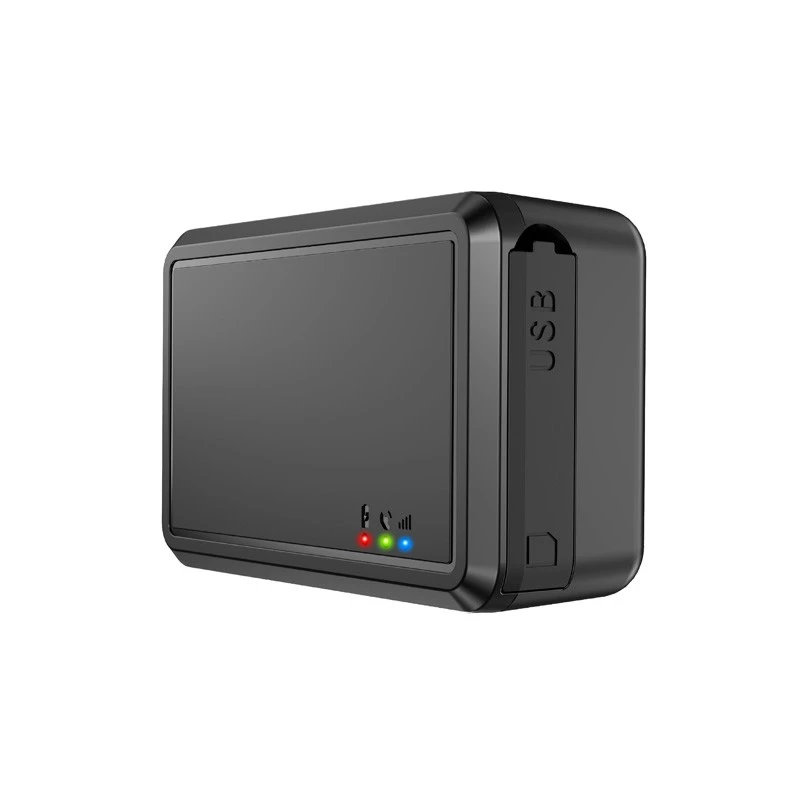
- Check the Signal Strength: Most trackers have an indicator light that shows the signal strength. If the light is showing a weak signal or no signal at all, it could be due to your location. You might be in an area with poor network coverage, like a basement, a tunnel, or a rural area with limited network infrastructure.
- Change the Location: Try moving your vehicle to an open area, like a parking lot or a hilltop. This can often improve the signal reception. If the signal is better in a different location, then the problem was likely due to the poor coverage in the original spot.
- Check Network Settings: Ensure that the tracker's network settings are correct. Some trackers allow you to configure the APN (Access Point Name) settings. If these settings are incorrect, the tracker won't be able to connect to the network. Refer to the user manual for your 4G OBD GPS Tracker to find out how to check and update the APN settings.
3. Software and Configuration
Incorrect software settings or outdated firmware can also cause problems with your 4G OBD GPS Tracker.
- Reset the Tracker: Sometimes, a simple reset can fix a lot of issues. Look for a small reset button on the tracker. Press and hold it for a few seconds until the tracker restarts. This will reset all the device settings to their defaults.
- Update the Firmware: Check if there are any firmware updates available for your tracker. Manufacturers often release updates to fix bugs, improve performance, and add new features. You can usually find the firmware update instructions on the manufacturer's website. Make sure to follow the instructions carefully to avoid any issues during the update process.
- Verify Configuration Settings: Double - check all the tracker's configuration settings, such as the time zone, reporting interval, and geofence settings. Incorrect settings can make it seem like the tracker isn't working properly when it's actually just reporting data in an unexpected way.
4. Hardware Issues
If the above steps don't solve the problem, there might be a hardware issue with the tracker itself.
- Check for Physical Damage: Look closely at the tracker for any signs of physical damage, such as cracks, water damage, or overheating. Water damage is a common cause of hardware failure, especially if the tracker has been exposed to rain or moisture. If you suspect water damage, it's best to replace the tracker.
- Test with Another Vehicle: If possible, try using the tracker in another vehicle. If it works properly in the other vehicle, then the problem is likely related to the original vehicle's OBD port or power system. On the other hand, if it still doesn't work, the tracker itself may be faulty.
Other Related Products
If you're having persistent problems with your 4G OBD GPS Tracker, you might want to consider some of our other products. We also offer the European Version 4G Portable GPS Locator, which is great for those who need a more flexible tracking solution. It can be easily moved from one vehicle to another.
Our 4G Hardwired GPS Tracker is a great option if you're looking for a more permanent installation. It's hard - wired directly into the vehicle's electrical system, which can provide a more stable power supply.
For general vehicle tracking, our Vehicle GPS Tracking Device offers a wide range of features and is suitable for most vehicles. If you have a special vehicle fleet, our Special Vehicle Fleet GPS Tracker is designed to meet the unique needs of your fleet.
Contact for Purchase and Further Assistance
If you're still having trouble troubleshooting your 4G OBD GPS Tracker or if you're interested in purchasing any of our products, don't hesitate to get in touch. We're here to help you find the best tracking solution for your needs.

References
- General knowledge about GPS tracking devices and their troubleshooting.
- Manufacturer's manuals for 4G OBD GPS Trackers and related products.