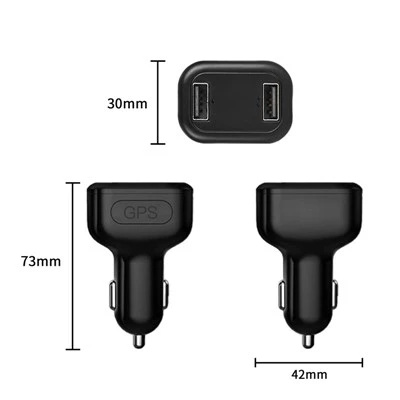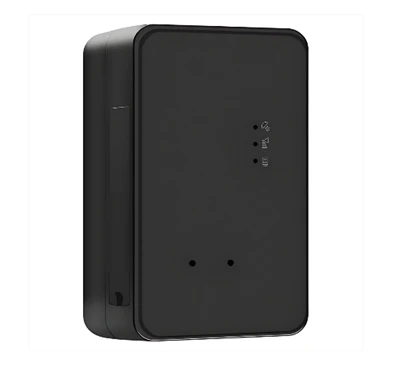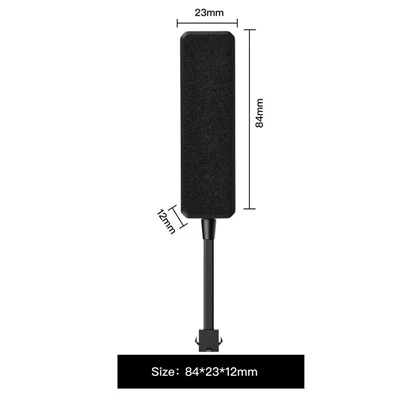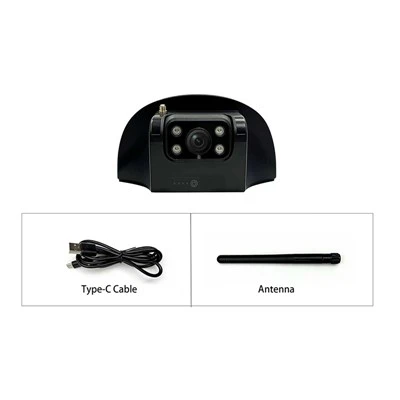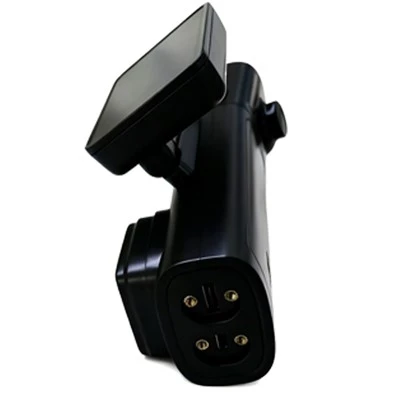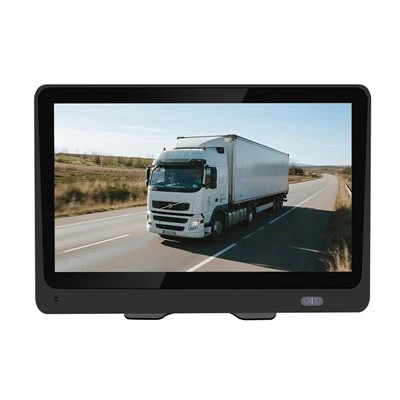
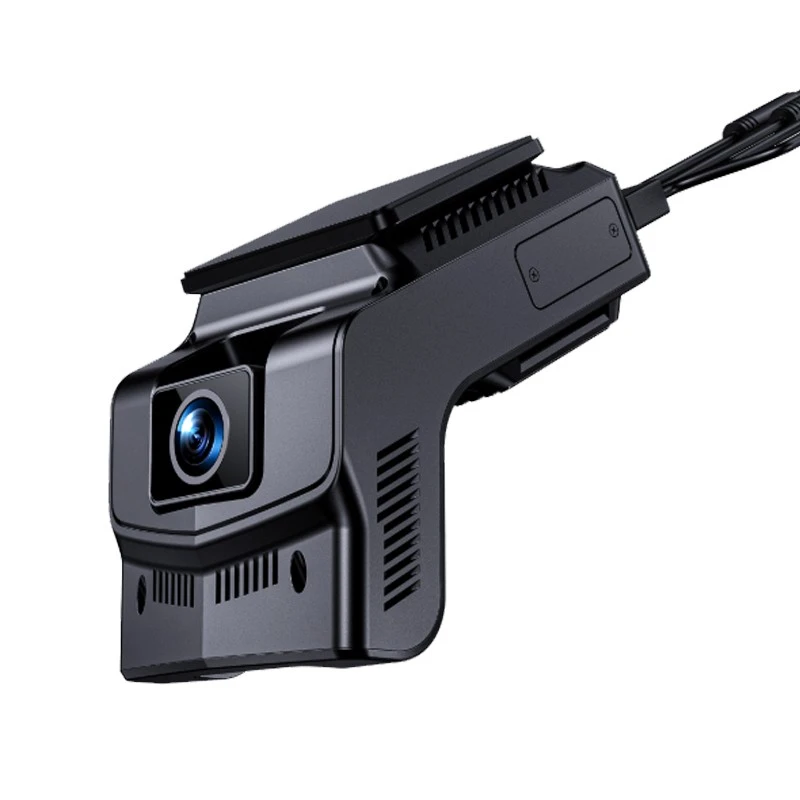
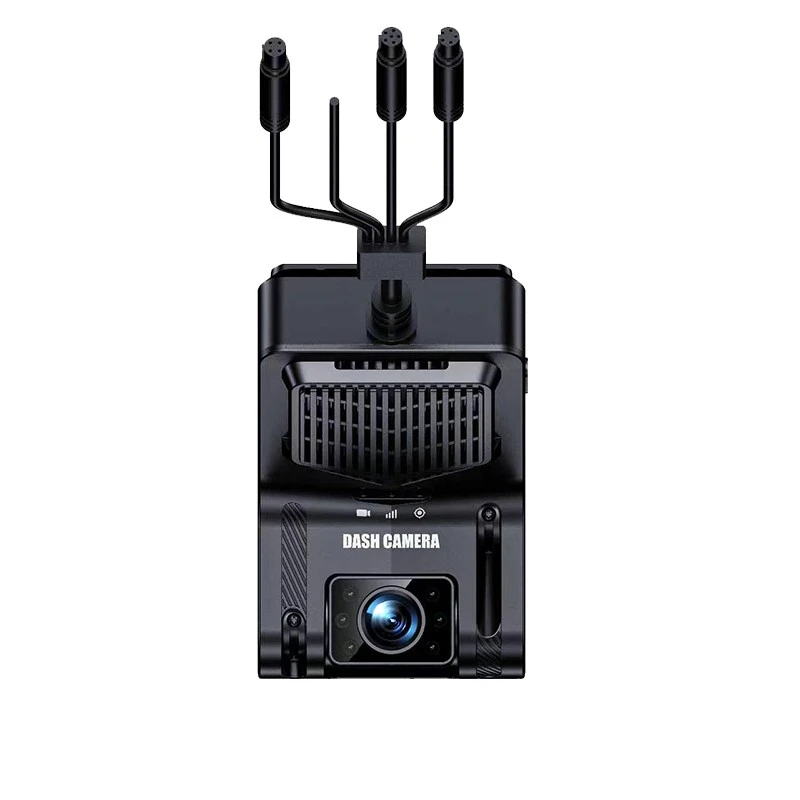
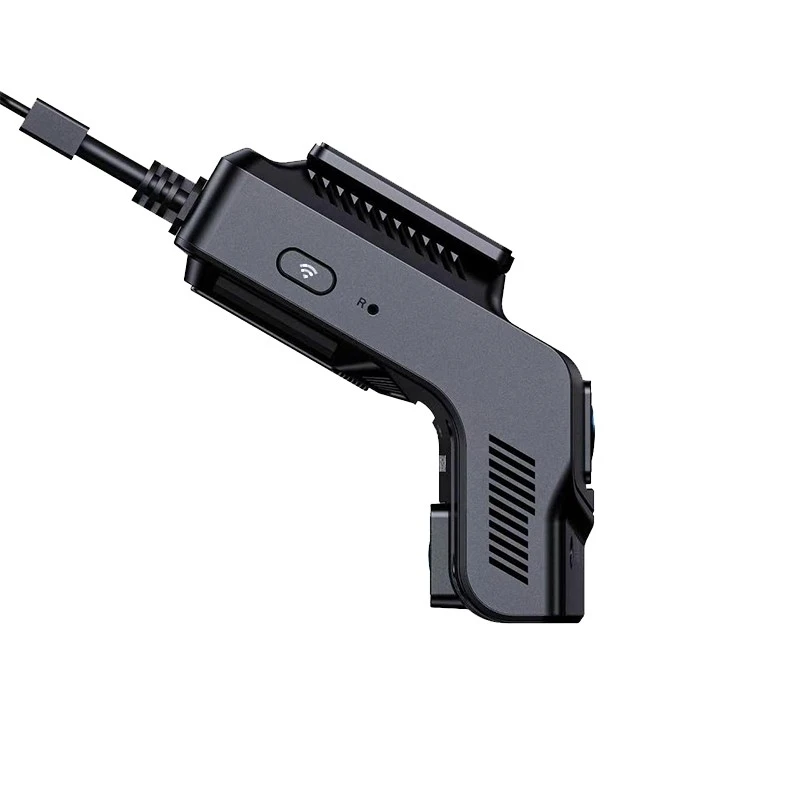
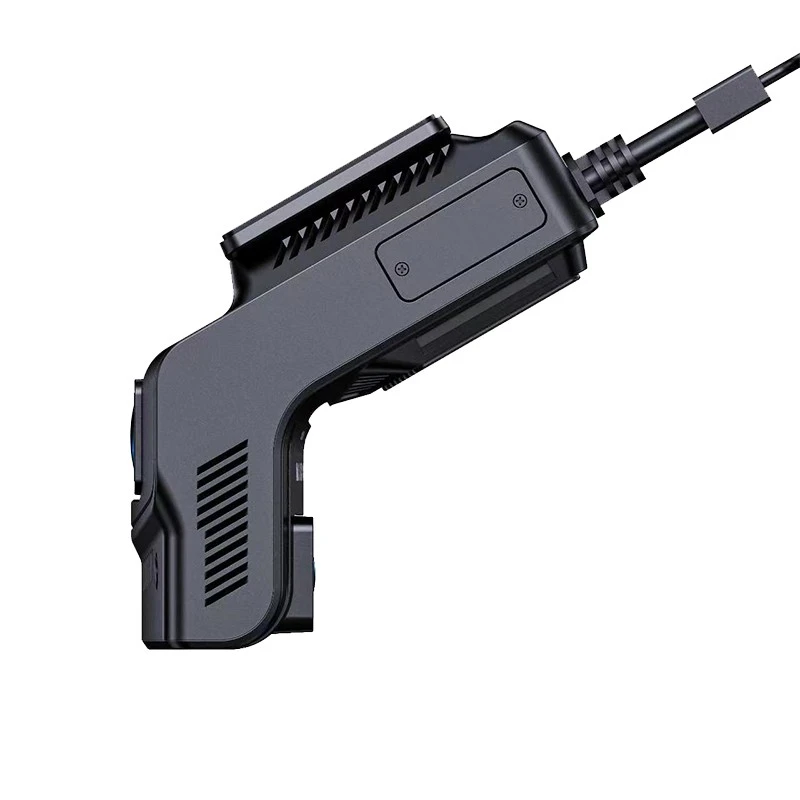
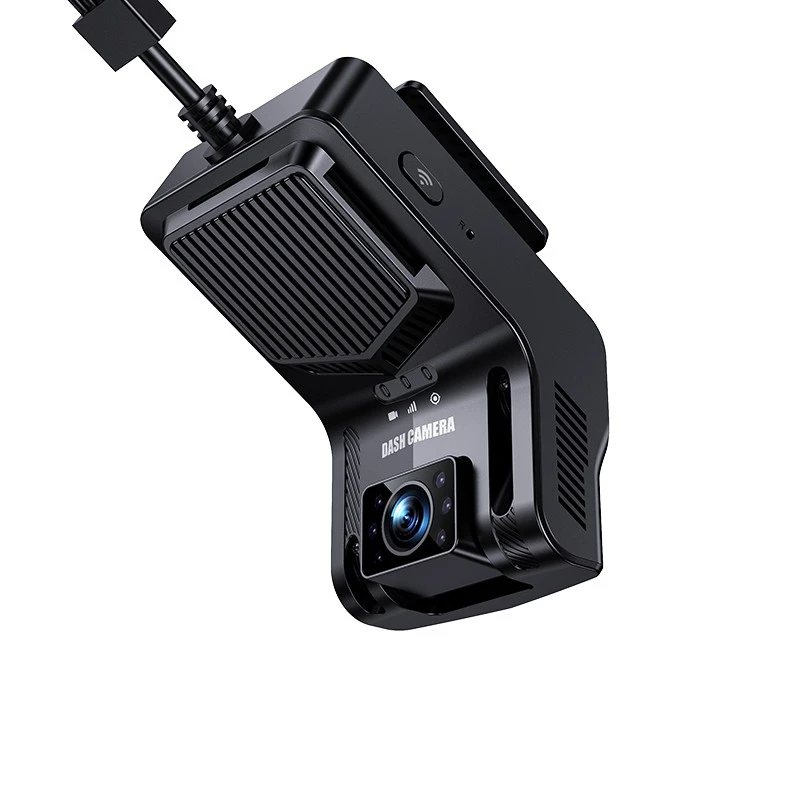
Shenzhen Xuneng Chuangxiang Technology Co., Ltd. is one of the most reliable manufacturers and suppliers of ai adas driving assistant device in China. With abundant experience, we warmly welcome you wholesale bulk ai adas driving assistant device made in China here from our factory. All customized products are with high quality and competitive price.
XN-S01 Driving Assistance Equipment
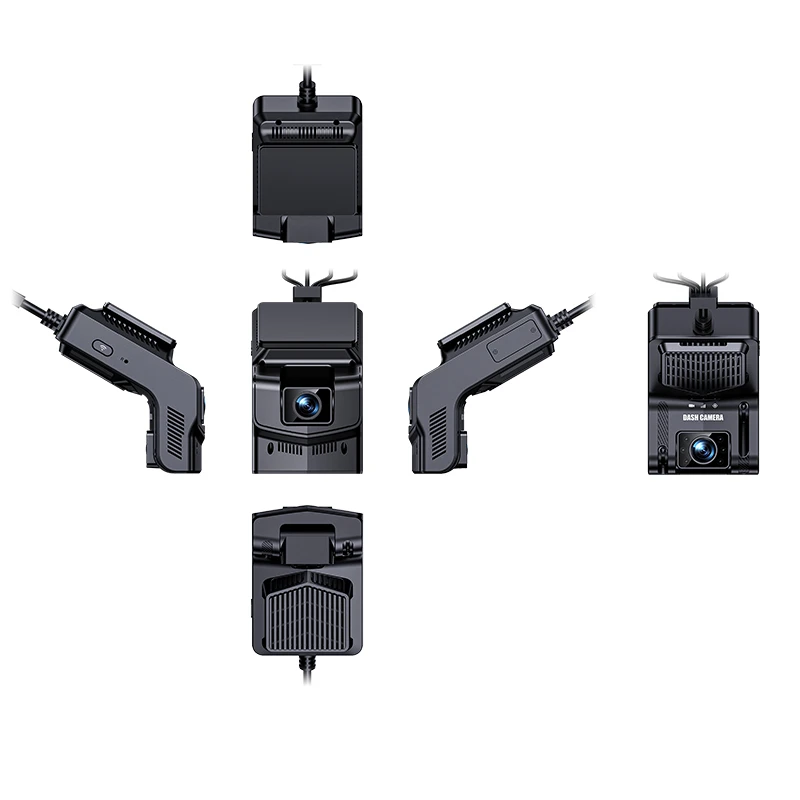
Product illustration

Packaging contents
The package contains the following items:
XN-S01 device (dual-recording camera).
T-card cover, two small screws for the cover.
SIM card tray.
Power cord.
SOS button (optional).
XN-S01 device (dual recording).

Power cord.

Accessories( SIM card tray , T-card cover, two small screws for the cover).

Hardware Specifications
Overall Specifications
|
Project |
Parameter |
|
|
System |
Operating Language |
Chinese/English |
|
Operating System |
Linux |
|
|
User Interface |
Supports both APP and web interface. |
|
|
GUI |
none; |
|
|
Processor And CPU |
CPU |
Dual-Core processor@1.2GHz , 0.5T NPU |
|
Memory |
Embedded 1Gb DDR3L |
|
|
Flash |
128Mb NAND Flash |
|
|
Video And Recording System |
Video Input |
Front-facing camera: 2MP, field of view: D=135° H=120° V=63°, aperture: f/1.8, resolution: 1920 x 1080, frame rate: 25, bitrate: 4 Mbps In-vehicle camera: 2MP, field of view: D=128° H=110° V=60°, aperture: f / 1.8, resolution: 1920 x 1080, frame rate: 25, storage bitrate: 2 Mbps, night vision infrared: yes, automatic light sensor switching. |
|
Extend one AHD 1080P 30 fps output (motherboard reserved) |
||
|
Video Standards |
PAL and NTSC standards |
|
|
Video Compression Format |
H.264 compression format |
|
|
Preview Function |
APP single-channel preview |
|
|
Video Quality |
Main stream Resolution: 1920*1080 1280*720 Frame rate: 1-25 frames Bitrate: 256Kbps ~ 6Mbps
Sub-stream Resolution: 720*576, 720*480, 640*360 Frame rate: 1-15 frames Bitrate: 256Kbps ~ 2Mbps |
|
|
Recording Method |
Automatic recording is enabled by default, and it supports ignition recording, alarm recording, and time-lapse recording. |
|
|
Audio |
Audio Input |
1 audio input, CH1/CH2 built-in microphone |
|
Audio Output |
1 channel, built-in speaker (≤8 Ω 1.5 W) |
|
|
Compression Format |
AAC/ G.711A compression format |
|
|
Recording Method |
Simultaneous recording of audio and video |
|
|
Alarm Input |
Two alarm input channels (not included by default, reserved on the motherboard) |
|
|
Alarm Output |
1-channel low-level output (supports remote fuel and power cut-off function, can be connected to a relay) Optional |
|
|
Communication Interface |
One RS232 interface, expandable with card readers, fuel level sensors, etc. (not included by default, reserved on the motherboard). |
|
|
Wireless Transmission |
It can be equipped with built-in 4G wireless transmission function, supports voice calls, low power heartbeat maintenance , TDD-LTE, FDD-LTE (supports CAT1 and CAT4) (EC 200 A - EU / AU series supports voice calls, others do not support them yet ) cat1 band: EC800-CN China/India: LTE-FDD B1/ 3/ 5/ 8 LTE-TDD B34/ 38/ 39/ 40/ 41 EG800K-EU Europe/New Zealand/Australia: LTE-FDD B1/ 3/ 5/ 7/ 8/ 20/ 28 EG800K-LA Latin America: LTE-FDD B2/ 3/ 4/ 5/ 7/ 8/ 28/ 66 |
|
|
WIFI: 802.11b/g/n 2.4G (built-in antenna) |
||
|
GPS Positioning |
Supports built-in GPS/BD module |
|
|
Sensor |
Built-in 3-axis accelerometer |
|
|
Disk |
TF Card |
Maximum support 512G |
|
Upgrade Method |
Supports TF card upgrades and FTP remote automatic upgrades. |
|
|
Storage Method |
TS file format |
|
|
SIM Card Interface |
One SIM card slot ( micro SIM ) |
|
|
AI Algorithms |
ADAS |
Forward collision detection, lane departure detection, pedestrian recognition, and distance detection, etc. |
|
DSM |
Fatigue driving detection, smoking, detection of unsafe driving behaviors such as obscuring the driver's face, and facial recognition. |
|
|
BSD |
Front blind spot, rear blind spot, left blind spot, and right blind spot detection ( not included in standard configuration; requires an external camera). |
|
|
Power Supply And Power Consumption |
Power Management |
It features adaptive wide-range power input and protection functions such as overload, undervoltage, short circuit, and reverse connection; it also supports timed power on/off and delayed power off functions. |
|
Input Voltage |
DC: +9V ~ +36V |
|
|
Output Voltage |
5.3V@300MA ( standard configuration does not include this ) |
|
|
Power Failure Protection |
Optional 5F / 3.3V capacitor to support abnormal power failure and ensure the integrity of video files. |
|
|
Power Consumption |
Normal operating conditions < 2 W (without peripherals) |
|
|
Work Environment |
Temperature |
-20℃ to +70℃ |
|
Humidity |
10% to 90% |
|
|
Safety Management |
Password Access |
Webpage menu under development |
|
Platform Access |
JT/T808-2013, JT/T808-2019 |
|
|
JT/T1076-2016, JT/T1078-2016 |
||
|
External Dimensions |
||
|
Net Weight |
||
LED Indicator Lights
The following table shows the status of the LEDs:
|
Led |
Color |
State |
Describe |
|
Video Light |
Purple/Blue/Red |
close |
Power off |
|
Purple Light |
Device startup /upgrade |
||
|
Blue light |
The system is running normally, but no recording is being recorded. |
||
|
Red light always on |
Normal recording |
||
|
4G Light |
yellow |
close |
No 4G |
|
blinking |
4G signal available but not yet available on the platform |
||
|
Chang Liang |
4G signal available and online platform |
||
|
GPS Light |
green |
close |
No GPS signal |
|
blinking |
GPS signal present but location not found |
||
|
Chang Liang |
GPS signal available and location successfully established. |
Equipment Function Overview
Product Advantages & Features
The product features highly integrated functions, including a built-in GPS antenna, 4G antenna, and dual 1080P cameras, making installation more convenient.
It has built-in ADAS and DMS algorithms. The DMS camera has an ultra-wide 110° angle and can perform in-vehicle monitoring, behavioral driving analysis, and local face recognition comparison.
LINUX system.
Supports 4G network connectivity and satellite positioning.
Supports dual-channel 1080P video recording (front and interior of the vehicle).
Supports 808/905+1078 departmental standard protocols.
It supports functions such as real-time video, historical video playback, emergency alarm, and TTS text message delivery.
Supports AI algorithms such as ADAS/DMS facial recognition.
It can support up to dual-channel 1080P recording (the version with algorithm supports dual-channel 720P).
Supports rapid acceleration/rapid deceleration/sharp turn alarms and collision alarms.
With ACC OFF enabled, a low-power sleep mode is available, allowing for remote wake-up.
Voice support for two-way communication/listening.
Supports dual IP reporting.
Product Function Introduction
|
Function |
Function Description |
|
|
Location Function |
Location Report |
Regular reporting |
|
Recorder |
Video |
Local video recording |
|
Call The Police |
Speeding Warning |
The vehicle speed is less than the maximum speed and meets the overspeed warning threshold. |
|
|
Overspeed Alarm |
Vehicle speed greater than maximum speed |
|
|
Emergency Alarm |
Trigger the emergency alarm button |
|
|
Manual Confirmation Of Alarm |
support |
|
Parameter Query |
Query Terminal Properties |
Terminal parameters, including online IP address, port, etc. |
|
Parameter Settings |
Set Terminal Parameters |
Terminal attributes include terminal type, terminal model, etc. |
|
Upgrade |
Remote Upgrade (8108) |
support |
|
|
Text Message Distribution |
Setting command parameters |
|
Multimedia |
Take A Picture Immediately |
Remote image capture |
|
|
Multimedia Upload |
support |
|
|
Multimedia Search |
support |
|
Audio And Video |
Real-Time Video |
support |
|
|
Video Playback |
support |
|
|
Audio And Video Download |
support |
|
|
Intercom |
support |
|
|
Monitor |
support |
|
|
Electronic Fence Setup |
support |
AI Functions
This device uses video analytics-based machine vision technology to automatically identify road risks and unsafe driving behaviors. Any detected event triggers an audible alarm to alert the driver in real time, and these events are also synchronized to the platform.
Note: The AI function must be calibrated and configured according to the installation instructions; otherwise, the accuracy of the AI function may be affected.
Algorithm warning trigger condition
Trigger speed greater than 30km/h.
Outdoor testing
Confirm that the device's GPS has located the location , and use the GPS speed.
Indoor testing
Turn on the device hotspot -- connect your phone to the device's WiFi hotspot (named after the tag on the device), password 12345678. Enter the address 192.168.169.1/set in your phone's browser to access the AI settings and set the simulated speed to 60. The device's camera should be pointing at the person's face. The simulated speed setting takes effect immediately upon setup; restarting will use GPS by default.
ADAS Function
Alarm priority: Automatic calibration > Forward collision > Pedestrian collision > Lane change assist > Virtual bumper > Lane departure > Vehicle start-up.
When multiple alarms are generated simultaneously, they are triggered according to their priority. Higher-priority alarms can override lower-priority alarm voice prompts.
Forward Collision Warning

Function
Real-time identification of the relative speed between the vehicle and the vehicle in front during driving, alerting the driver when a collision is possible, and ensuring sufficient emergency braking time.
Triggering conditions
The warning is issued when the vehicle's speed is greater than the minimum warning speed, there is a vehicle directly in front of the vehicle's trajectory, and the estimated collision time is less than the safe collision time.
Minimum warning speed (km/h)
Default > 30.
Voice prompt
Watch out for the vehicle in front.
Sensitivity
- High, Medium, Low; Default: Medium.
- High TTC <= 3.5s.
- Chinese TTC <= 2.7s.
- Low TTC <= 1.8s Suppress alarm when vehicle GPS speed decelerates significantly.
Pedestrian collision warning

Function
During driving, it can identify pedestrians, bicycles and motorcycles in front of the vehicle in real time, and alert the driver if there is a potential collision hazard, ensuring sufficient emergency braking time.
Triggering conditions
The vehicle is traveling at a speed within the warning speed range, and the distance between the pedestrian directly in front of the vehicle and the vehicle is less than 5 meters.
Minimum warning speed
Default value 10-60 km/h.
Voice prompt
Watch out for pedestrians.
Sensitivity
- High, Medium, Low; Default: Medium.
- Warning range for high absttc <= 1.6 s: 0.1 meters outside the vehicle.
- Warning range for absttc <= 1.3 s: 0 meters outside the vehicle.
- Low absttc <= 1 s warning range: -0.1 meters outside the vehicle.
Lane departure warning

Function
Real-time detection of lane departure behavior during driving; alerts the driver if there is any unintentional lane departure to ensure driving safety.
Triggering conditions
The vehicle is traveling at a speed greater than the minimum warning speed and has not activated its turn signal (if available), and the vehicle deviates from the center of the lane and crosses a lane line that is clearly visible to the naked eye.
Minimum warning speed (km/h)
- Default > 30.
- Distance from the outer edge of the wheel to the lane line: <= 0.15 meters; Cooling time for lane change alignment: 0.7 seconds.
- Distance from the outer edge of the center wheel to the lane line: <= 0 meters; Lane change straightening cooling time: 1 second.
- Distance from the outer edge of the low wheel to the lane line: <= -0.15 meters; Lane change straightening cooling time: 1.5 seconds.
Alarm voice prompt
Lane departure.
Virtual bumper

Function
When the vehicle is traveling at low speed, it identifies the relative speed between the vehicle and the vehicle in front. When there is a potential collision hazard, it reminds the driver to maintain a safe distance.
Minimum warning speed (km/h)
1-30.
Sensitivity
- High, Medium, Low; Default: Medium.
- The distance between the vehicle in front and the vehicle in front is less than or equal to 3~5 meters, and the two vehicles are close to each other.
- The distance between the vehicle in front and the vehicle in front is less than or equal to (2~4) meters, and the two vehicles are close to each other.
- The distance between the vehicle in front and the vehicle is less than or equal to (1~3) meters, and the two vehicles are close to each other.
Voice prompt
- Too close to the vehicle.
- The vehicle in the middle stops in >= 5 seconds, the distance to the vehicle in front is <= 6 meters, the time it takes for the vehicle in front to move away is >= 1 second, and the distance is >= 1 meter.
- The vehicle stops using GPS speed.
- The vehicle stops in 5 seconds or more, the distance to the vehicle in front is less than 6 meters, the time it takes for the vehicle in front to move away is greater than 2.5 seconds, and the distance is greater than 2 meters.
DMS Functions
Alarm priority: Fatigue > Phone call > Distraction > Smoking > Seatbelt check.
When multiple alarms are generated simultaneously, they are triggered according to their priority. Higher-priority alarms can override lower-priority alarm voice prompts.
Fatigue driving alarm

Function
Detects driver fatigue (eyes closed, yawning) and issues a warning to ensure driving safety.
Minimum warning speed (km/h)
Default > 30.
Sensitivity
- High, Medium, Low; Default: Medium.
- Duration of eye-closed or mouth-opening >= 1 second; Lip height-to-width ratio >= 0.4.
- Duration of eye closure or mouth opening >= 2 seconds; Lip height-to-width ratio >= 0.5.
- Duration of eye closure or mouth opening >= 3 seconds; Lip height-to-width ratio >= 0.6.
Voice prompt
Please take a break.
Distraction warning

Function
Recognizes driver behavior of not looking at the road ahead while driving (looking left and right, looking down to look for something, etc.) and issues an alarm to ensure driving safety.
Minimum warning speed (km/h)
Default > 30.
Sensitivity
- High, Medium, Low; Default: Medium.
- High face pose greater than the threshold for a time >= 1 second; pitch >= 30 degrees or yaw >= 30 degrees.
- The duration of the face pose exceeding the threshold is >= 2 seconds, and the pitch or yaw is >= 35 degrees.
- Low face pose greater than the threshold for >= 3 seconds, pitch >= 40 degrees or yaw >= 40 degrees.
Voice prompt
Please concentrate on driving.
Smoking alarm

Function
Detects and warns drivers when they smoke while driving to ensure driving safety.
Minimum warning speed (km/h)
Default > 30.
Sensitivity
- High, Medium, Low; Default: Medium.
- Smoking time >= 1 second.
- Smoking time >= 2 seconds.
- If the smoking time is >= 3 seconds, the cigarette needs to be lit.
Voice prompt
No smoking.
Call the police

Function
Identifies and warns drivers when they are making phone calls while driving, ensuring driving safety.
Minimum warning speed (km/h)
Default > 30.
Sensitivity
- High, Medium, Low; Default: Medium.
- High call duration >= 1 second.
- During a phone call, the duration must be >= 2 seconds. The phone must be held above the chin, and the speaker must open their mouth to speak.
- Minimum call duration >= 3 seconds; phone must be held above chin level; mouth must be open while speaking.
Voice prompt
Please do not use your mobile phone.
Seat belt inspection

Function
The device identifies the seat belt status and warns the driver when the driver is not wearing a seat belt to ensure driving safety.
Minimum warning speed (km/h)
Default > 30.
Voice prompt
Please fasten your seatbelt.
Seatbelt demonstration diagram.

FACE Face Recognition
Facial recognition is a biometric technology that identifies individuals based on their facial features. It involves using cameras or webcams to capture images or video streams containing faces, automatically detecting and tracking faces within the images, and then performing facial recognition on the detected faces. This technology is also commonly referred to as image recognition or facial identification.
Function usage steps: First, the device is online - add driver information on the platform - the driver's picture must be 1080P (it is recommended to use the platform to send a photo to the device - use this photo as the driver's picture); then select to configure this driver information on the device the driver is driving on; the device will remind the driver to perform facial recognition after 2 minutes; the system will automatically check the driver comparison every 120 minutes by default and report the comparison results to the platform.
Wiring instructions

Installation Instructions
Installation location regulations
Note: The following advice does not constitute legal advice. Please comply with local laws and regulations.
To determine the location of the dashcam, the windshield was divided into several zones:
Area A
A vertical area 29 cm wide centered on the steering wheel (35 cm wide for vehicles weighing over 3.5 tons), the area swept across by the windshield.
Area B
The area swept by the windshield excluding Area A.
No part of the dashcam (including the bracket and wires) may enter area A by more than 10 mm (1 cm) or area B by more than 40 mm (4 cm).

Recommended installation location
It is recommended to install the XN-S01 on the upper edge of the windshield, directly above the steering wheel, as shown in the picture.
To ensure safe driving and maximize the accuracy of AI algorithms, the selection of equipment installation locations should be based on the following principles:
Do not obstruct the driver's view.
Do not interfere with the driver's driving.
Ideally, the center point of the front-facing camera's image should align with the horizon (you can preview this in the "6fps Detective" app).
The driver's face should ideally be displayed in the center of the inward-facing camera's view (a preview can be viewed in the "6Frames Detective" app).
The equipment should be kept level and not tilted.
Installation Instructions
Memory Card Installation.

SIM Card Installation.

Domestic installation diagram.

Parameter settings
Click the WiFi button on the side of the device; a voice prompt will indicate that WiFi is enabled. Connect using your phone's WiFi and follow the steps shown in the image below.

Platform Parameter Settings
- The device number is the last 12 digits of the IMEI by default, but you can set it yourself.
- For the protocol type, simply select 2013/2019, which refers to the version of the 808 protocol.
Indoor Testing
Turn on the device hotspot -- connect your phone to the device's WiFi hotspot (named after the tag on the device), password 12345678. Enter the address 192.168.169.1/set in your phone's browser to access the AI settings and set the simulated speed to 60. The device's camera should be pointing at the person's face. The simulated speed setting takes effect immediately upon setup; restarting will use GPS by default.
Conclusion
It is thanks to the support and cooperation of our customers that we have been able to survive for so long!
It is thanks to the hard work and dedication of our colleagues that we have been able to move forward steadily!
Let us explore the brilliance of technology from a unique perspective, let us strive to raise the sails of our ideals, and embark on a journey to pursue technology!
Different Names
- AI Intelligent Driving Assistance Terminal.
- ADAS & DMS Vehicle Video Monitoring All-in-one Device.
- Fleet Intelligent Safety Management Vehicle Equipment.
Buyer Search Behavior Words
- Mobile DVR.
- MDVR.
- AI MDVR.
- AI Dash Camera.
- Vehicle Camera.
- Fleet Camera.
- 4G MDVR.
- Vehicle Video Terminal.
- Video Telematics.
- Driver Monitoring System.
- ADAS.
- DSM.
- BSD.
- Fleet Camera System.
- AI Camera.
- Road Camera.
- Video Surveillance.
- Vehicle Surveillance.
Hot Tags: ai adas driving assistant device, China ai adas driving assistant device manufacturers, suppliers, factory