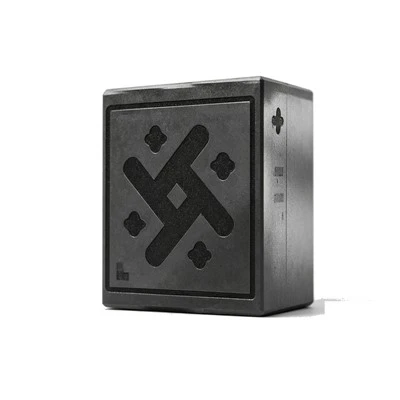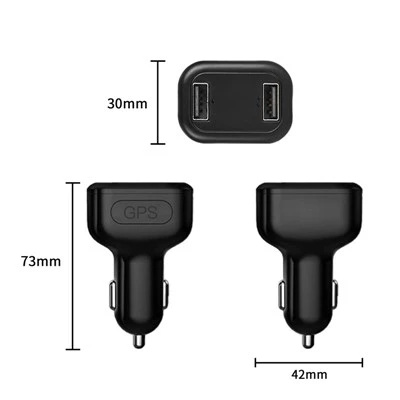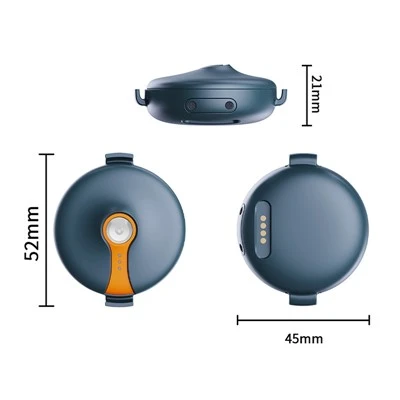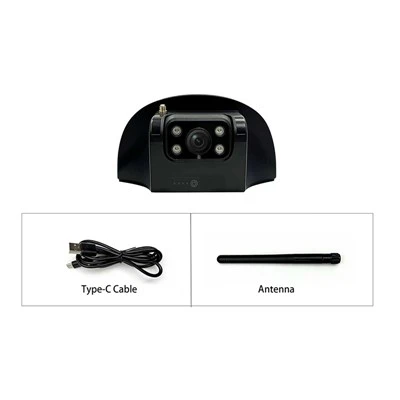
Shenzhen Xuneng Chuangxiang Technology Co., Ltd. is one of the most reliable manufacturers and suppliers of all-in-one vehicle video recorder in China. With abundant experience, we warmly welcome you wholesale bulk all-in-one vehicle video recorder made in China here from our factory. All customized products are with high quality and competitive price.
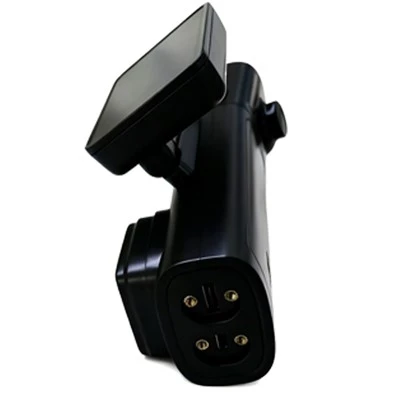
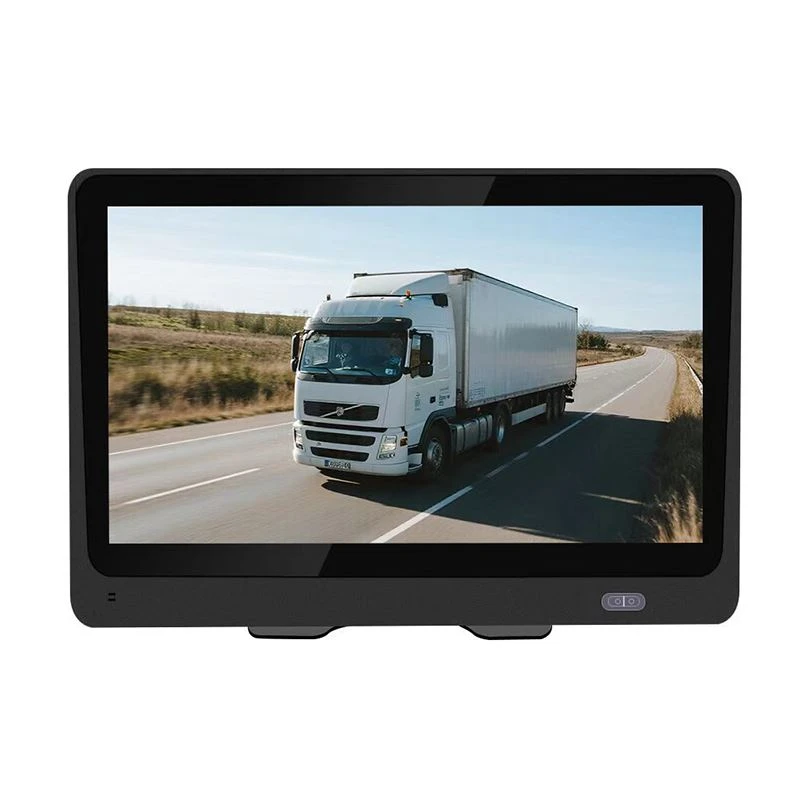
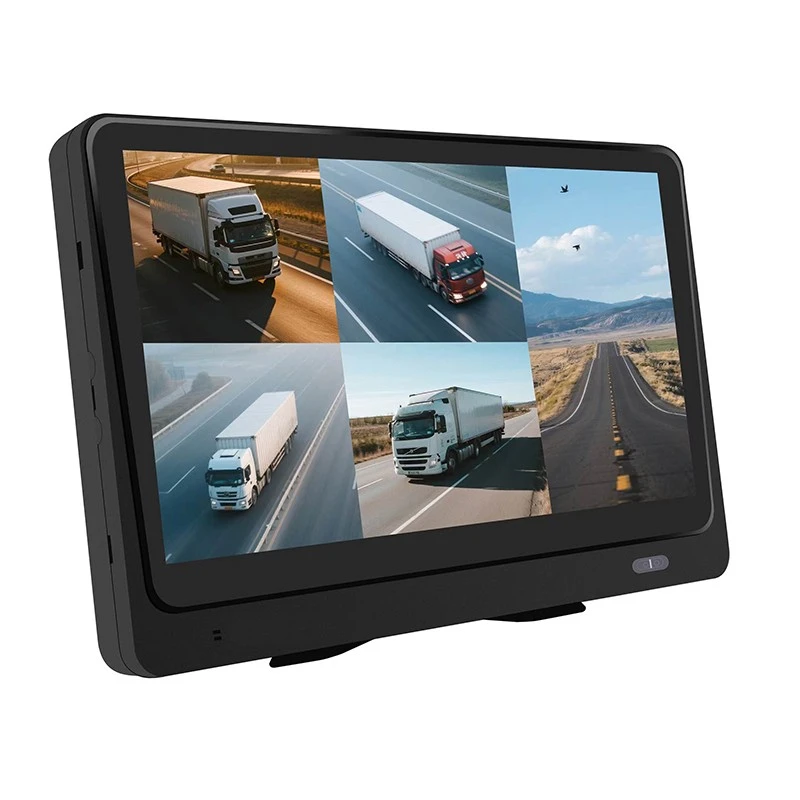
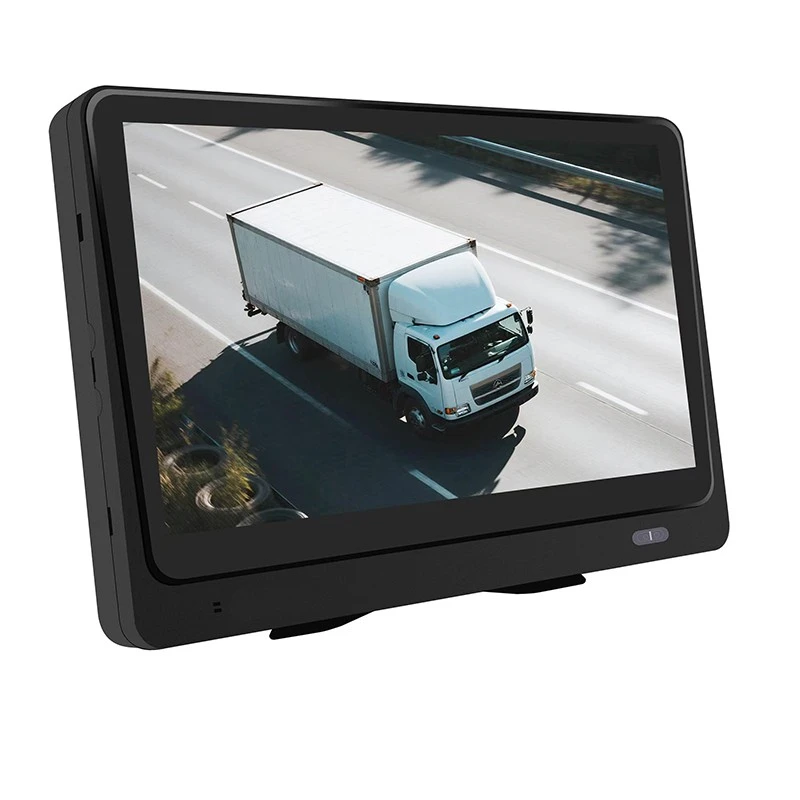
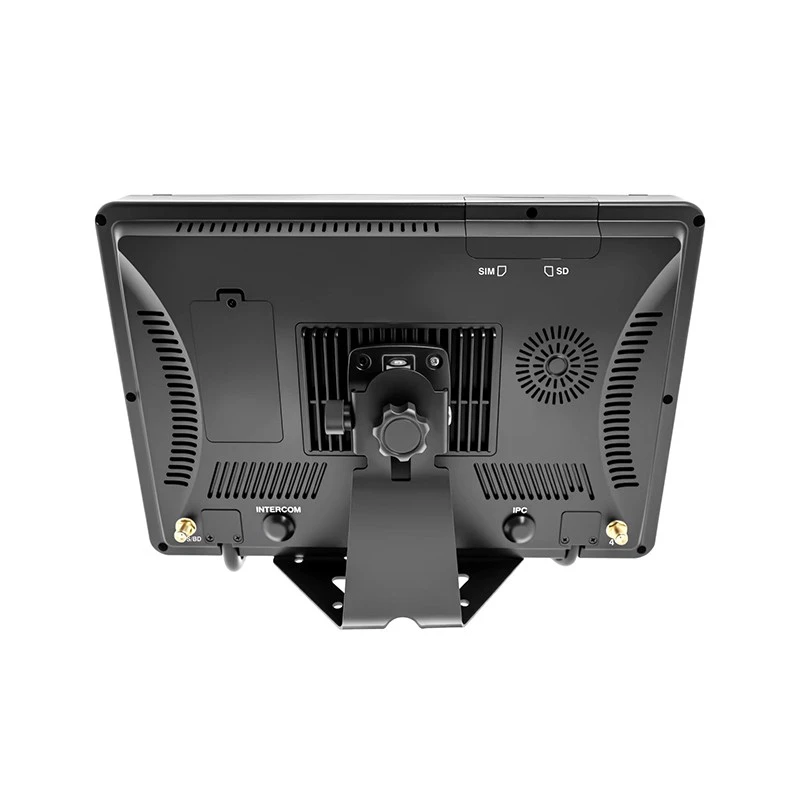
XN-S03 Car Video All-in-One Product Introduction
Product schematic


Specifications of the complete machine
|
Project |
Parameter |
|||
|
System |
Operational Language |
Chinese/English |
||
|
Operating System |
Linux |
|||
|
Operation Interface |
Support APP operation interface, web page operation interface and touch operation setting of display screen Parameters; |
|||
|
GUI |
Have |
|||
|
Processor And CPU |
CPU |
32-bit RISC CPU 1GHz, 1T NPU |
||
|
Memory |
2Gb DDR3 |
|||
|
Flash |
128Mb NAND Flash |
|||
|
Video And Recording System |
Video Input |
5-channel AHD 1080P/720P |
||
|
Video Output |
Built-in 720p HD display |
|||
|
Video Standard |
PAL, NTSC |
|||
|
Video Compression Format |
H.264 compression format |
|||
|
Preview Function |
Single-channel, 5-screen splicing preview, supporting manual/event-triggered full-screen display function |
|||
|
Video Quality |
Master Stream |
Resolution: 1920 * 1080 1280 * 720; Frame rate: 1-25 frames; Code rate: 256Kbps ~ 6Mbps; |
||
|
Substream |
Resolution: 720 * 576 720 * 480 640 * 360; Frame rate: 1-15 frames; Code rate: 256Kbps ~ 2Mbps; |
|||
|
Video Recording Mode |
Automatic video recording by default, supporting ignition video recording, alarm video recording, time-lapse video recording and alarm viewing Frequency, etc |
|||
|
Audio |
Audio Input |
5-channel audio input, built-in MIC |
||
|
Audio Output |
1-way, internal speaker (≤ 8Ω 1.5 W) |
|||
|
Compressed Format |
AAC/G.711a compression format |
|||
|
Recording Mode |
Synchronized sound and video recordings |
|||
|
Alarm Input |
5-channel alarm input (ACC, left steering, right steering, Input, SOS one-button alarm) |
|||
|
Alarm Output |
3-channel low level output (support remote fuel and power cut-off function, and can be connected to a relay) is optional |
|||
|
Communication Interface |
2-way RS232 interface, expandable card reader, fuel sensor, etc. (Reserved for the main board) |
|||
|
Wireless Transmission |
Built-in 4G wireless transmission function, support for voice calls, low power consumption and heartbeat maintenance CAT4 domestic full frequency band: TDD LTE: B34/B38/B39/B40/B41 FDD LTE:B1/B3/B5/B8 WCDMA:B1/B8 European version: TDD LTE: B38/B40/B41 FDD LTE: B1/B3/B7/B8/B20/B28 WCDMA: B1/B8 |
|||
|
WIFI: Wireless 802.11 B/G/n 2.4G (built-in antenna) |
||||
|
GPS Positioning |
Support built-in GPS/BD module |
|||
|
Sensor |
Built-in 3-axis acceleration |
|||
|
Disk |
SD Card |
Supports up to 512G with a single SD card |
||
|
Upgrade Mode |
Support SD card upgrade and FTP remote automatic upgrade |
|||
|
Storage Mode |
MP4 file format |
|||
|
SIM Card Interface |
1 SIM card interface |
|||
|
AI Algorithm |
ADAS |
Front vehicle collision, lane departure, pedestrian recognition, vehicle distance detection, etc. |
||
|
DSM |
Fatigue driving detection, smoking, unsafe driving behavior detection, face recognition |
|||
|
BSD |
Detection of front blind area, rear blind area, left blind area and right blind area (not provided as standard, external camera is required Image head) |
|||
|
Power Supply And Power Consumption |
Power Management |
Adaptive wide power input, with overload, undervoltage, short circuit, reverse connection and other protection functions Can Support the functions of timing on/off and delayed shutdown. |
||
|
Input Voltage |
DC:+9V ~ +36V |
|||
|
Output Voltage |
5.3 V @ 300MA (standard without) |
|||
|
Power-Off Protection |
Two 5F/3.3 V farad capacitors are selected to support abnormal power failure and ensure the integrity of video files. Sex |
|||
|
Power Consumption |
Normal operating state < 2W (without peripherals) |
|||
|
Work Environment |
Temperature |
-20℃ to +70℃ |
||
|
Humidity |
10% to 90% |
|||
|
Security Management |
Password Access |
Web page menu under development |
||
|
Platform Access |
JT/T808-2013, JT/T808-2019 |
|||
|
JT/T1076-2016, JT/T1078-2016 |
||||
|
Exterior Dimensions |
25*17*3.5(CM) |
|||
|
Net Weight |
1.45(KG) |
|||
Brief introduction of equipment function
Product Advantages & Features
Highly integrated, 10.1-inch touch screen + motherboard.
Built-in ADAS, DMS, BSD, face recognition algorithm.
Linux system, stable and reliable.
Support 4G, GPS, WIFI.
5-channel 1080P HD video recording.
Support JT/T808/905/1078 standard protocol.
Real-time video, playback, alarm, TTS delivery.
Rapid acceleration/deceleration/sharp turn/collision warning.
ACC supports sleep, parking monitoring and time-lapse video recording after power failure.
Voice talkback/monitoring, supporting multiple languages.
Hardware Specifications
|
Function |
Functional Description |
|
|
Positioning Function |
Position Report |
Regular reporting |
|
Recorder |
Video Recording |
Local video recording |
|
Call The Police |
Overspeed Warning |
Vehicle speed is less than maximum speed and meets the overspeed warning threshold |
|
Overspeed Alarm |
Vehicle speed greater than maximum speed |
|
|
Emergency Alarm |
Trigger emergency alarm button |
|
|
Manually Acknowledge The Alarm |
Support |
|
|
Parameter Query |
Query Terminal Properties |
Terminal parameters, including online IP, port, etc. |
|
Parameter Setting |
Set the Terminal Parameters |
Terminal attributes include terminal type, terminal model, etc. |
|
Upgrade |
Remote Upgrade (810 8) |
Support |
|
Text Information Is Issued |
Set the command parameters Including FTP remote upgrade, parameter modification, etc. |
|
|
Multimedia |
Shoot Immediately |
Remote picture taking |
Product AI function introduction
The device uses machine vision technology based on video analysis to automatically identify road risks and unsafe driving behavior of drivers. Any detected event triggers an audible alarm to alert the driver in real time, and these events are also synced to the platform.
Note: The AI function must be calibrated and configured according to the installation instructions. Otherwise, the accuracy of the AI function may be affected. Attention shall be paid to the following points during use and test:
Trigger condition of algorithm warning
Trigger speed is greater than 30km/H.
Outdoor test
Make sure the device GPS is located and use the GPS speed.
Indoor test
To test the AI function indoors, it is necessary to turn on the GPS simulation speed to give the simulation speed value to the equipment. Open the device hotspot → connect the WiFi of the mobile phone to the device hotspot (the name is the label on the device), the password is 12345678, input the address 192.168.1.1/set in the browser of the mobile phone, enter the AI setting, set the simulation speed to 60, and the display of the camera of the device faces the face; When the simulation speed is set, it will take effect. If it is restarted, GPS will be used by default.
ADAS function
Alarm priority: automatic calibration > forward collision > pedestrian collision > lane change assistance > virtual bumper > lane deviation > front vehicle starting.
When the alarm is generated at the same time, the alarm is triggered according to the priority of the alarm type, and the alarm with high priority can squeeze out the alarm voice with low priority.
Front-vehicle collision warning

Function
- Real-time recognition of the relative speed between the vehicle and the vehicle in front during driving, and warning when a collision may occur.
- Driver, make sure there is enough emergency braking time.
Trigger condition
- The vehicle speed is greater than minimum warning speed, there is a vehicle in front of the vehicle track, and collision is expected.
- When the time is less than safety collision time, an early warning is sent out.
Minimum warning speed
Default: > 30 km/H.
Voice prompt
Watch the car in front.
Sensitivity
-
High/medium/low(In default).
- High TTC < = 3.5 s.
- Medium TTC < = 2.7s.
- Low TTC < = 1.8s; The alarm is inhibited when the GPS speed of the vehicle decelerates significantly.
Pedestrian collision warning

Function
- Identify pedestrians, bicycles and motorcycles in front of the vehicle in real time during driving, if there is a potential.
- The risk of collision reminds the driver to ensure that there is enough emergency braking time.
Trigger condition
The driving speed of the vehicle is within the warning speed range, and the distance between the pedestrian in front and the vehicle is less than 5m.
Minimum warning speed
Default: 10-60 km/H.
Voice prompt
Watch out for pedestrians.
Sensitivity
-
High/medium/low(In default).
- High Absttc < = 1.6 s warning range, 0.1 m outside the vehicle.
- Medium Absttc < = 1.3 s warning range, 0 m outside the vehicle.
- Low Absttc < = 1 s warning range, outside of vehicle-0.1 m.
Lane departure warning

Function
- Identify lane departure behavior in real time during driving. If there is unconscious lane departure behavior.
- Wake up the driver and ensure driving safety.
Trigger condition
- The driving speed of the vehicle is greater than minimum warning speed, and there is no turn signal (if there is access).
- The vehicle deviates from the center of the lane to the lane line that can be clearly identified by the naked eye.
Minimum warning speed
Default value > 30 km/H.
Voice prompt
Lane offset.
Sensitivity
-
High/medium/low(In default).
-
High Distance from the outside of the wheel to the lane line: < = 0.15m during lane change and alignment cooling
0.7s between. -
Distance from the outside of the middle wheel to the lane line: < = 0m cooling time for lane change and alignment
1s. -
Distance from the outside of the low wheel to the lane line: < = -0.15m, lane change, alignment and cooling
Time 1.5s.
Virtual bumper

Function
- When the vehicle is running at a low speed, the relative speed of the host vehicle and the preceding vehicle is recognized. When there is a potential risk of collision.
- Wake up the driver and keep a safe distance.
Trigger condition
- The driving speed of the vehicle is greater than minimum warning speed, and there is no turn signal (if there is access).
- The vehicle deviates from the center of the lane to the lane line that can be clearly identified by the naked eye.
Sensitivity
-
High/medium/low(In default).
-
The height is less than or equal to (3 ~ 5) m from the vehicle in front and the two vehicles are close to each other.
-
The distance between the middle vehicle and the front vehicle is < = (2 ~ 4) m and the two vehicles are close to each other.
-
Lower distance from the vehicle in front < = (1-3) m and the two vehicles are close to each other.
Voice prompt
-
The distance between vehicles is too close.
-
Medium Self-vehicle stop > = 5S, front vehicle distance < = 6m The departure time of the front vehicle is > = 1s, and the departure time is > = 1m, and the GPS speed is used to judge the stop of the vehicle.
-
Low self-vehicle stop > = 5S, front vehicle distance < = 6m, front vehicle departure time > = 2.5s, and departure > = 2m.
Minimum warning speed
1-30 km/h.
DMS functionality
Alarm priority: fatigue > phone call > distraction > smoking > seat belt detection.
When the alarm is generated at the same time, the alarm is triggered according to the priority of the alarm type, and the alarm with high priority can squeeze out the alarm voice with low priority.
Fatigue driving alarm

Function
Identify the driver's fatigue state (eyes closed, yawning) and issue a warning to ensure safe driving.
Minimum warning speed
Default value > 30 km/H.
Trigger condition
-
The driving speed of the vehicle is greater than minimum warning speed, and there is no turn signal (if there is access).
-
The vehicle deviates from the center of the lane to the lane line that can be clearly identified by the naked eye.
Sensitivity
-
High/medium/low(In default).
-
High eye-closing or mouth-opening time > = 1 s; lip height-to-width ratio > = 0.4.
-
Time of closing eyes or opening mouth > = 2 s; lip height-to-width ratio > = 0.5.
-
Low eye closing or mouth opening time > = 3s, lip height-to-width ratio > = 0.6.
Voice prompt
Please pay attention to rest.
Distraction warning

Function
- Recognize the driver's behavior of not looking at the road ahead during driving (looking left and right, looking down for things, etc.).
- And call the police to ensure driving safety.
Trigger condition
- The driving speed of the vehicle is greater than minimum warning speed, and there is no turn signal (if there is access).
- The vehicle deviates from the center of the lane to the lane line that can be clearly identified by the naked eye.
Minimum warning speed
Default value > 30 km/H.
Voice prompt
Please concentrate on driving.
Sensitivity
-
High/medium/low(In default).
-
High face pose is greater than threshold time > = 1s pitch > = 30 degrees or Yaw > = 30 degrees.
-
Medium face pose is greater than threshold time > = 2S pitch > = 35 degrees or Yaw > = 35 degrees.
-
Low face pose is greater than threshold time > = 3s pitch > = 40 degrees or Yaw > = 40 degrees.
Smoking alarm

Function
Identify the driver's smoking behavior during driving and warn him to ensure driving safety.
Trigger condition
- The driving speed of the vehicle is greater than minimum warning speed, and there is no turn signal (if there is access).
- The vehicle deviates from the center of the lane to the lane line that can be clearly identified by the naked eye.
Minimum warning speed
Default value > 30 km/H.
Voice prompt
Please do not smoke.
Sensitivity
-
High/medium/low(In default).
-
High smoking time > = 1s.
-
Medium smoking time > = 2S.
-
Low smoking time > = 3s, need to light the cigarette.
Call the police

Function
Identify the driver's mobile phone behavior while driving and warn him to ensure driving safety.
Trigger condition
- The driving speed of the vehicle is greater than minimum warning speed, and there is no turn signal (if there is access).
- The vehicle deviates from the center of the lane to the lane line that can be clearly identified by the naked eye.
Minimum warning speed
Default value > 30 km/H.
Voice prompt
Do not use the mobile phone.
Sensitivity
-
High/medium/low(In default).
-
Medium call time > = 2S The position of the mobile phone shall be higher than chin, and it shall be opened.
Speak with your mouth.
-
Low call time > = 3s The position of the mobile phone needs to be higher than chin and needs to be opened.
Speak with your mouth.
Seat belt detection

Function
- The device recognizes the status of the seat belt and warns the driver when the driver is driving without a seat belt to.
- Ensure safe driving.
Trigger condition
- The driving speed of the vehicle is greater than minimum warning speed, and there is no turn signal (if there is access).
- The vehicle deviates from the center of the lane to the lane line that can be clearly identified by the naked eye.
Minimum warning speed
Default value > 30 km/H.
Voice prompt
Please fasten.
Example of fastening.

FACE Face Recognition

Face recognition function
- It is a biometric recognition technology based on human facial feature information. It is a series of related technologies that use cameras or cameras to collect images or video streams containing human faces, and automatically detect and track human faces in the images, and then recognize the detected human faces, which are usually called portrait recognition and face recognition.
- Part identification.
Function use steps
- First, the device has been online-add the driver's information on the platform-the driver's picture is required to be 1080P (it is recommended to use the platform to send a photo to the device-use the photo as the driver's picture); then select to configure the driver's information to the device on which the driver is driving; after 2 minutes, the device will remind the driver to enter the vehicle.
- Face recognition; The default interval is 120 minutes for automatic inspection and comparison of drivers, and the comparison results are reported to the platform.
BSD dead zone function
The equipment supports the simultaneous operation of up to 4 blind area warning algorithms. When pedestrians and vehicles enter the blind area warning range, an alarm will be generated.
BSD dead zone alarm

Function
Identify pedestrians and vehicles entering the set blind area and issue warnings to ensure driving safety.
Minimum warning speed
Default value > 0 km/H.
Trigger condition
-
When the vehicle speed is greater than 0 km/H, the system starts to operate. The vehicle will enter the monitoring state when starting.
-
State, early warning alarm after identifying pedestrians + vehicles.
Voice prompt
-
Pedestrians and vehicles ahead-Pedestrians and vehicles behind FBSD. PCM-Pedestrians and vehicles on the left of BBSD. PCM-LBSD. PC.
-
Watch out for pedestrians and vehicles on your right-RBSD. PCM.
Different Names
- Vehicle All-in-One Display Monitoring Terminal.
- Screen-type ADAS & DMS Vehicle Video All-in-One Unit.
- 5CH HD Fleet Vehicle Terminal Compliant with Ministry Standards.
Buyer Search Behavior Words
- Screen Vehicle Video Terminal.
- 5CH 1080P Vehicle DVR.
- ADAS BSD LCA All-in-One.
- Fleet Screen Monitor Terminal.
- Online Car-hailing DMS Terminal.
- Smart Dash Camera.
- ADAS Dash Cam.
- DSM Dash Cam.
- AI Vehicle Camera.
Hot Tags: all-in-one vehicle video recorder, China all-in-one vehicle video recorder manufacturers, suppliers, factory, 4G ADAS DMS Vehicle DVR, All In One Vehicle Video Recorder, All in one Vehicle Video Terminal, Battery Powered Solar CCTV Camera, Commercial Car Monitoring Recorde, Solar Powered Wireless Surveillance Camera